
01 · Log
A case in under a minute.
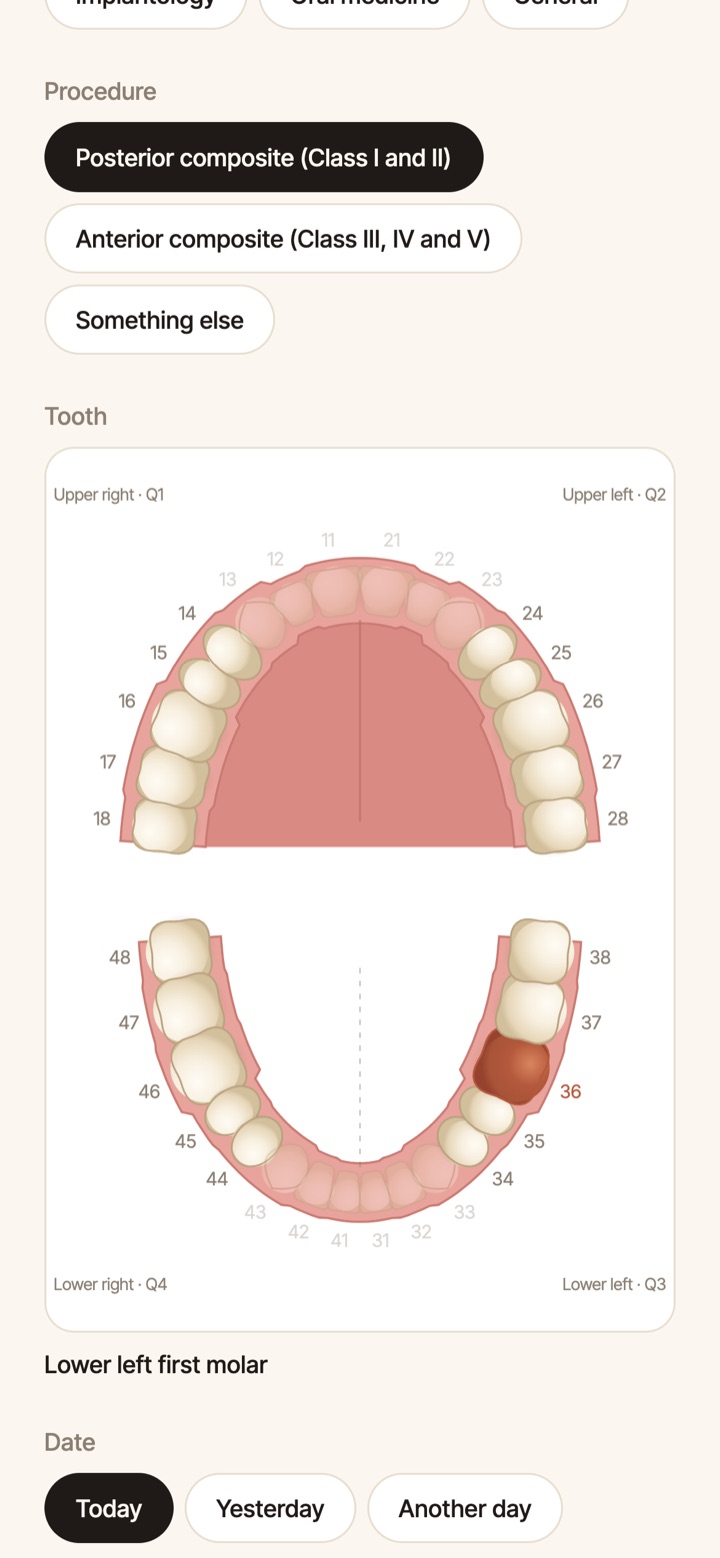
Pick the department, the procedure and the tooth. Add the rest later, go step by step, or just say it out loud and voice fills it in.
The case book for dental students
Log a case in under a minute. Photograph it with guides. Give your patient their papers in English or Arabic. Turn it all into reports, a logbook and a portfolio.
See how01 · Log
Pick the department, the procedure and the tooth. Add the rest later, go step by step, or just say it out loud and voice fills it in.
02 · Photograph
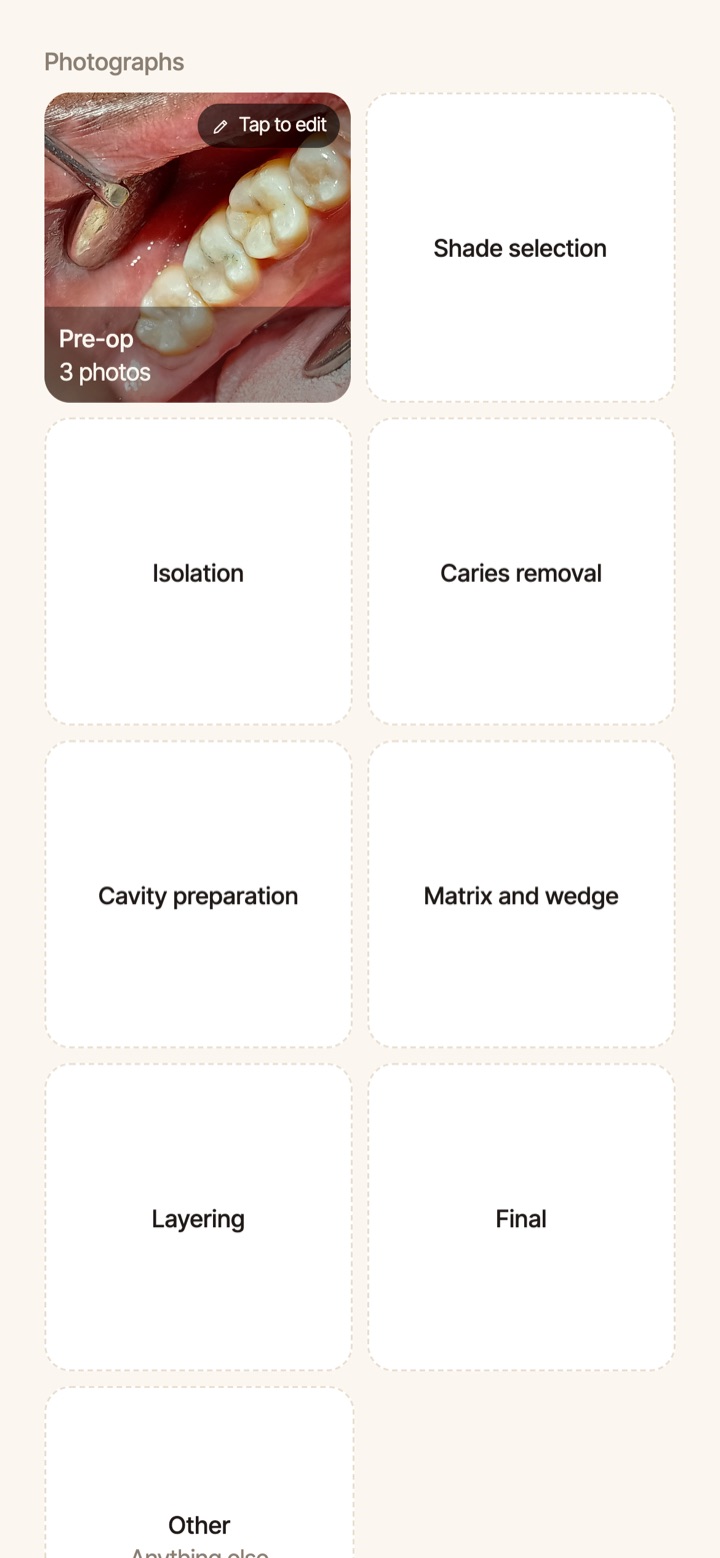
Guides in the camera for every view, the shade tab beside the tooth, and every photo filed under its stage, from pre-op to final.
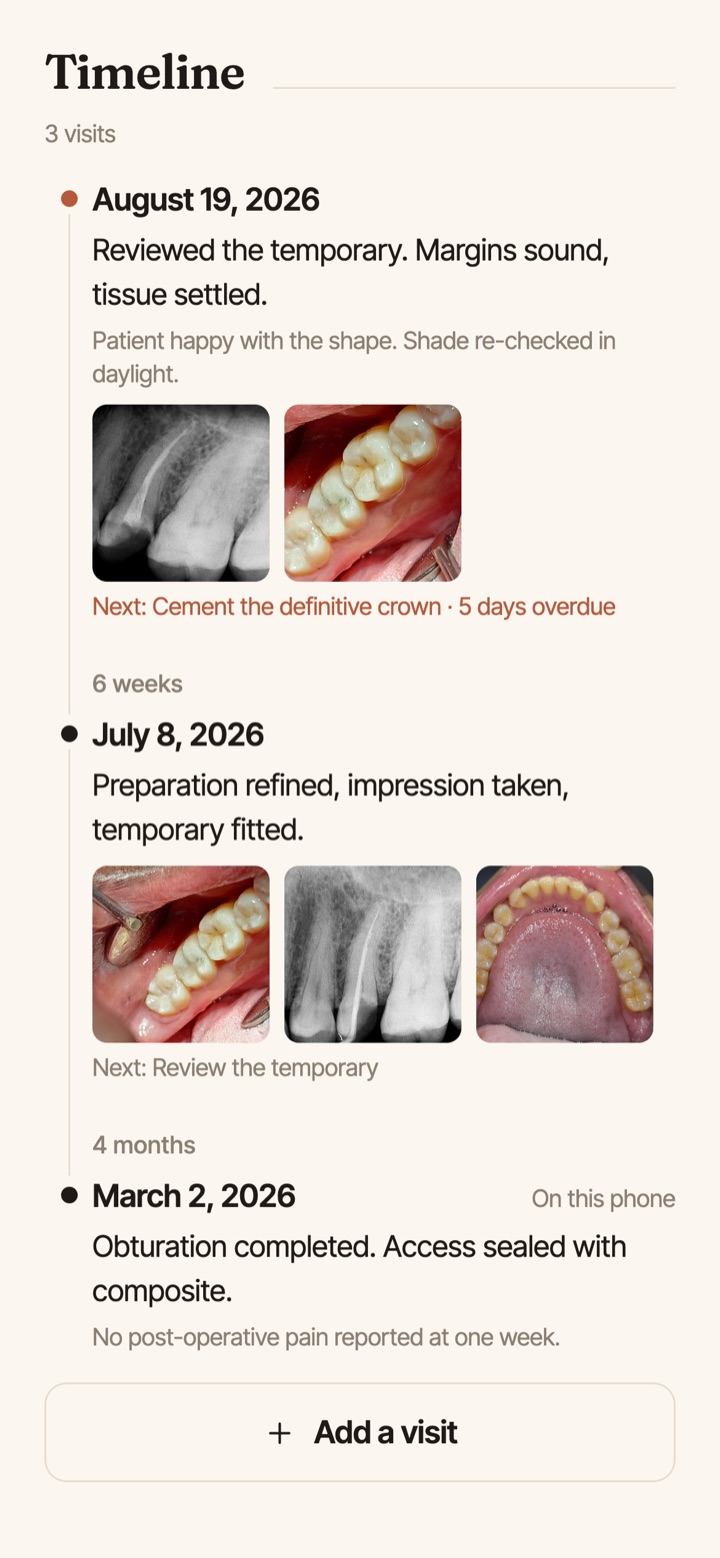
03 · Follow up
What was done, what comes next, what is overdue. Medical alerts from the patient's history show in red every time you open the case.
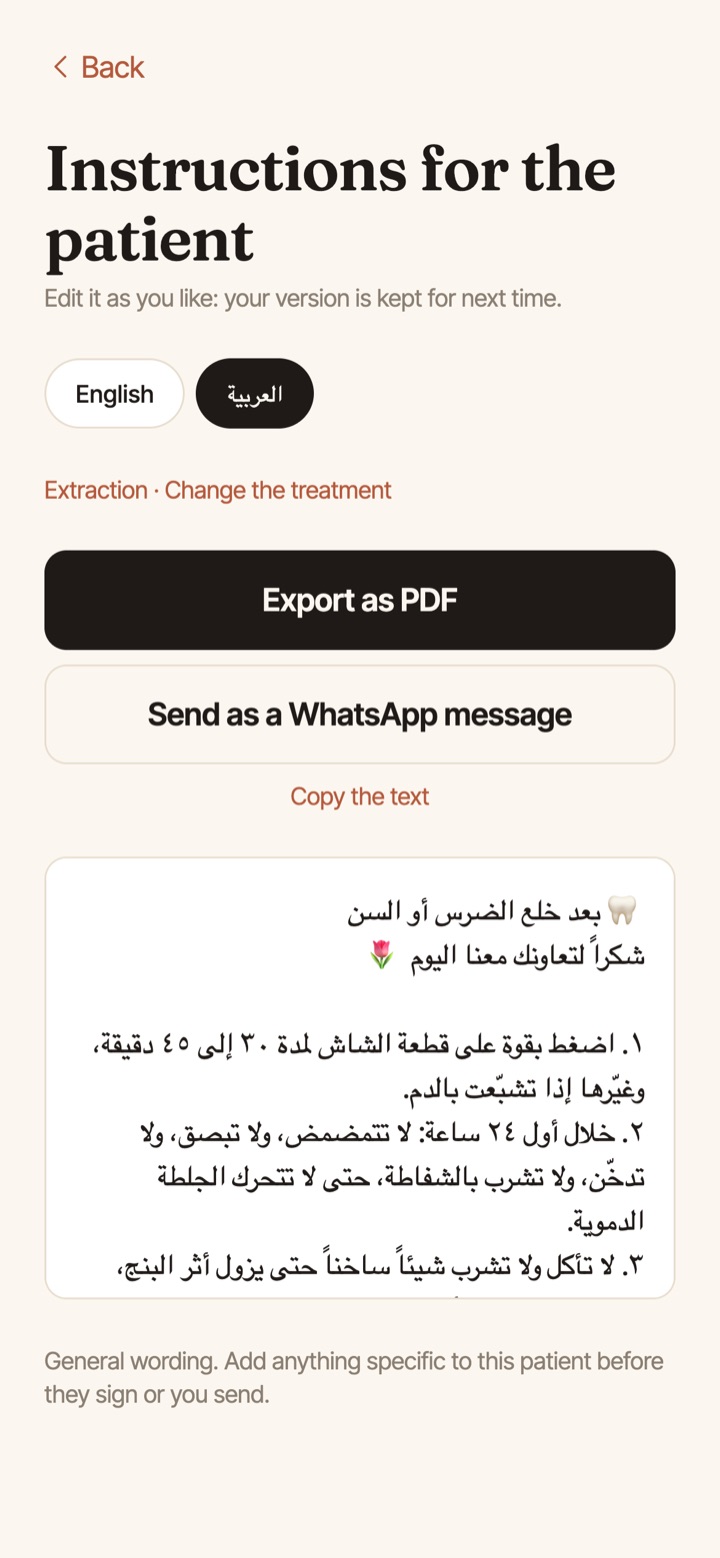
04 · For the patient
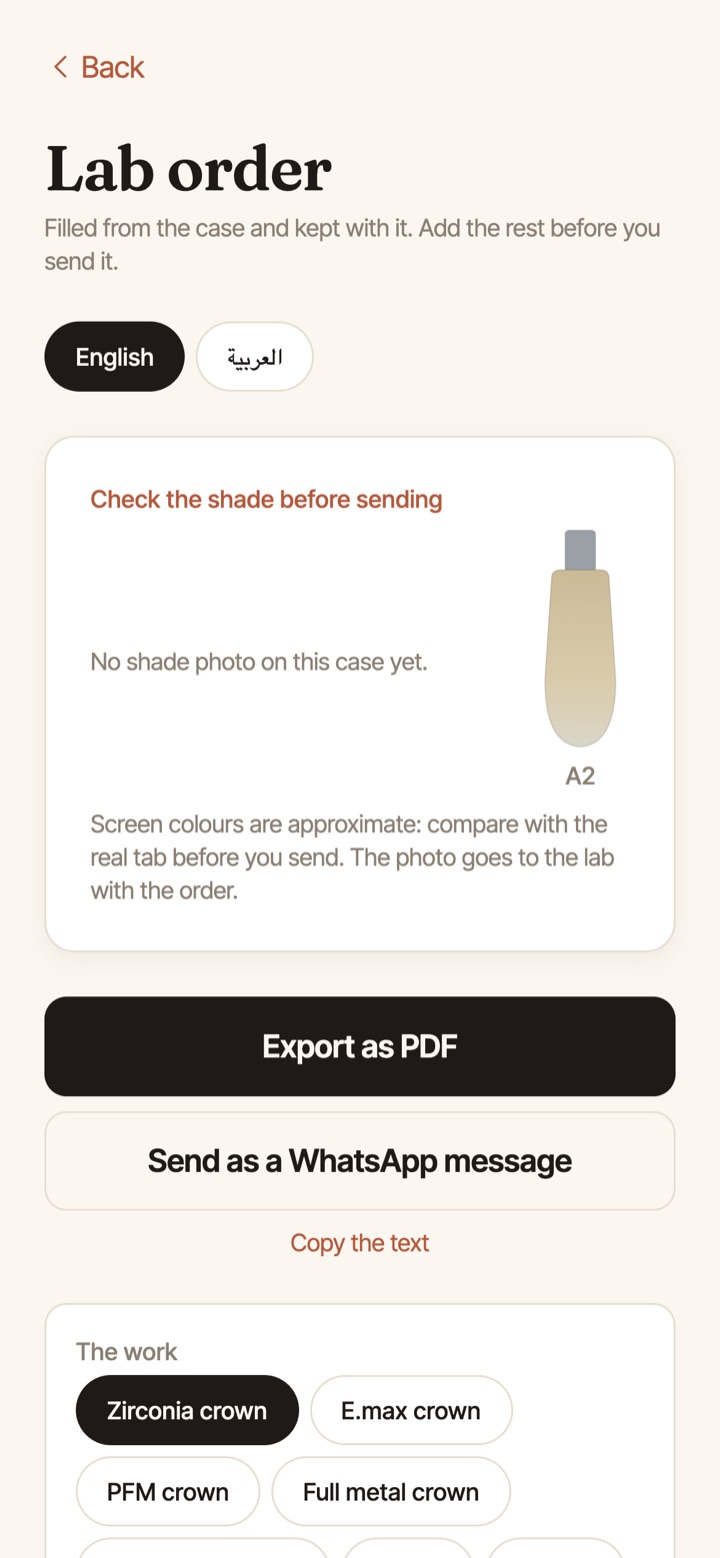
Aftercare instructions, prescriptions, consent forms and lab orders with your logo and signature. Send them as a PDF or a WhatsApp message.
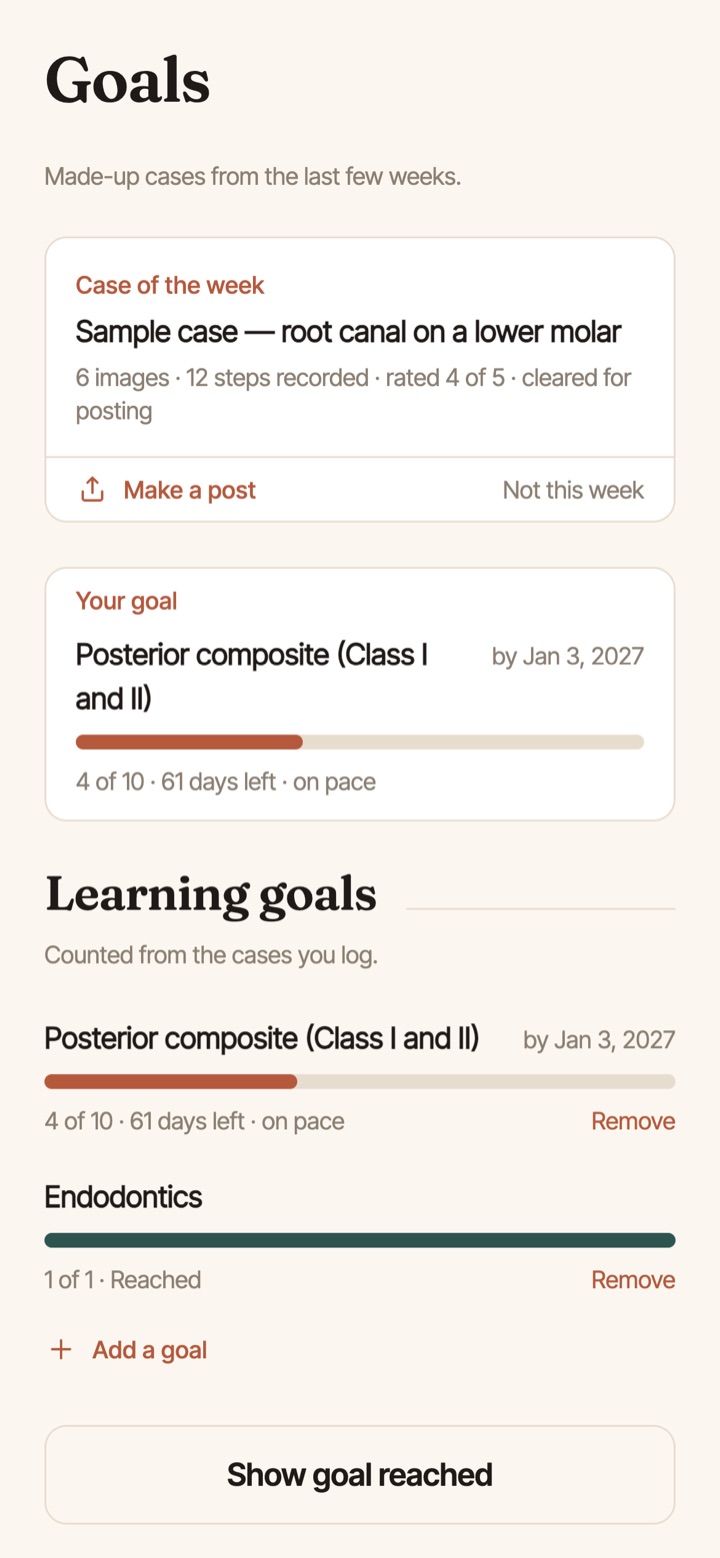
05 · Progress
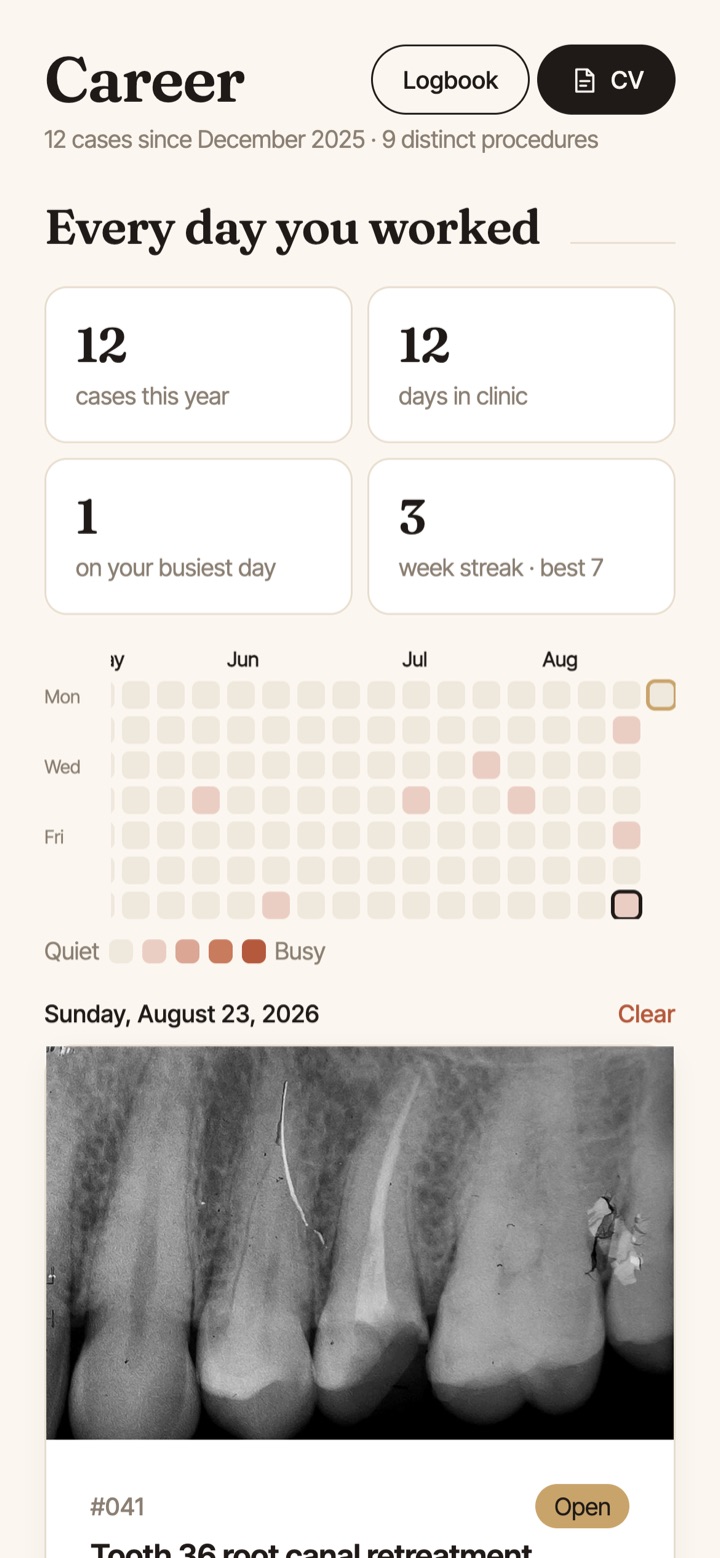
Add your university's requirements once, or scan a classmate's. Every case counts toward them, with goals, streaks and a calendar of every day you worked.
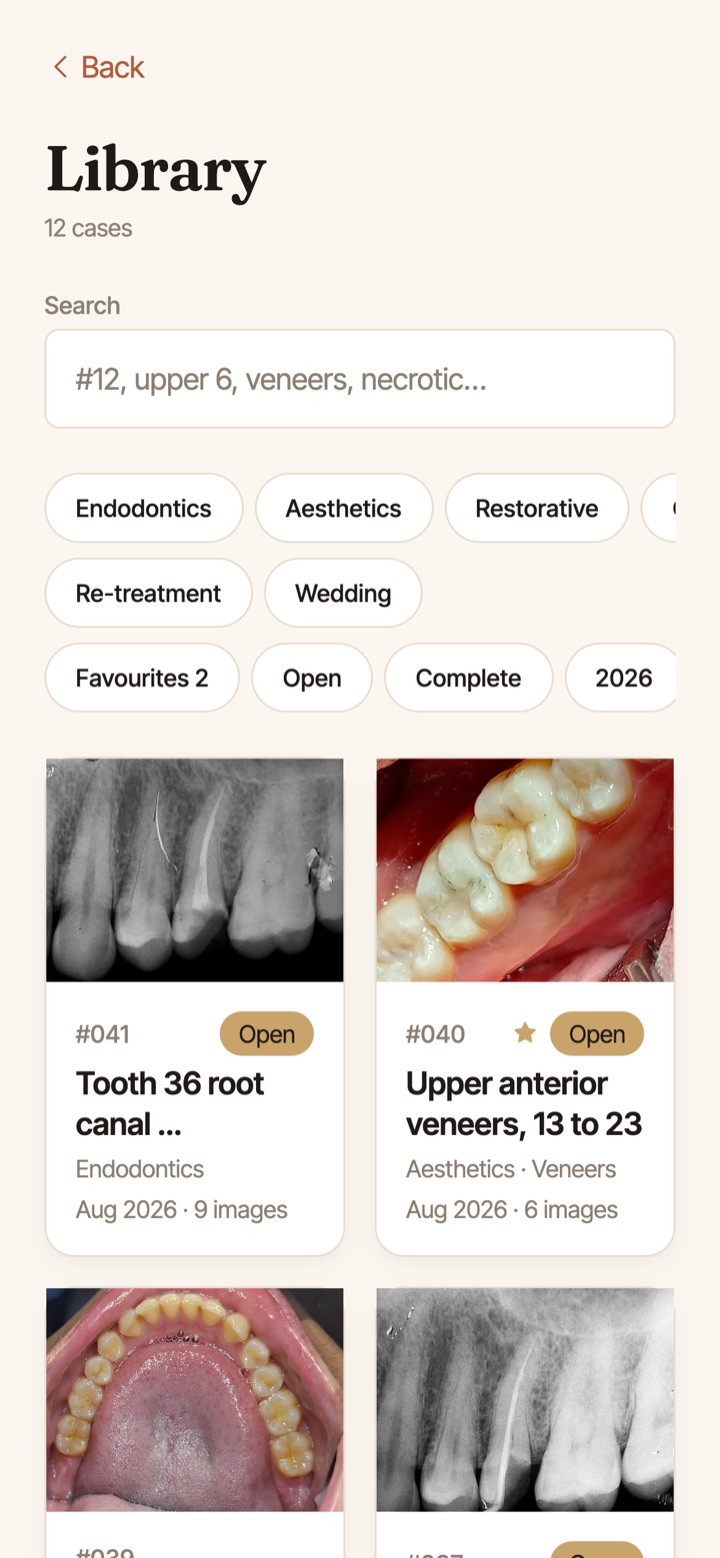
06 · Your record
A library of everything you have logged, searchable by tooth, procedure or department, and it works with no signal.
Reports and portfolio
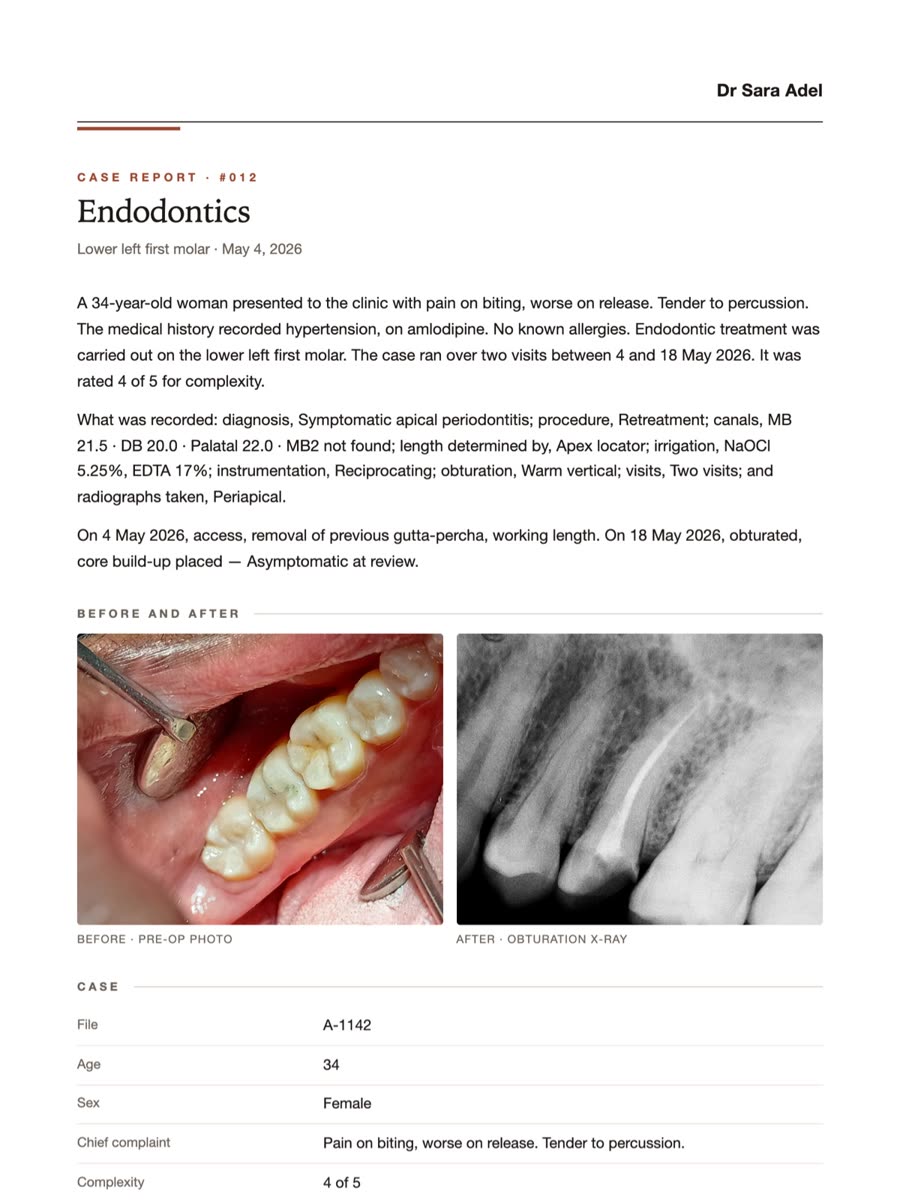
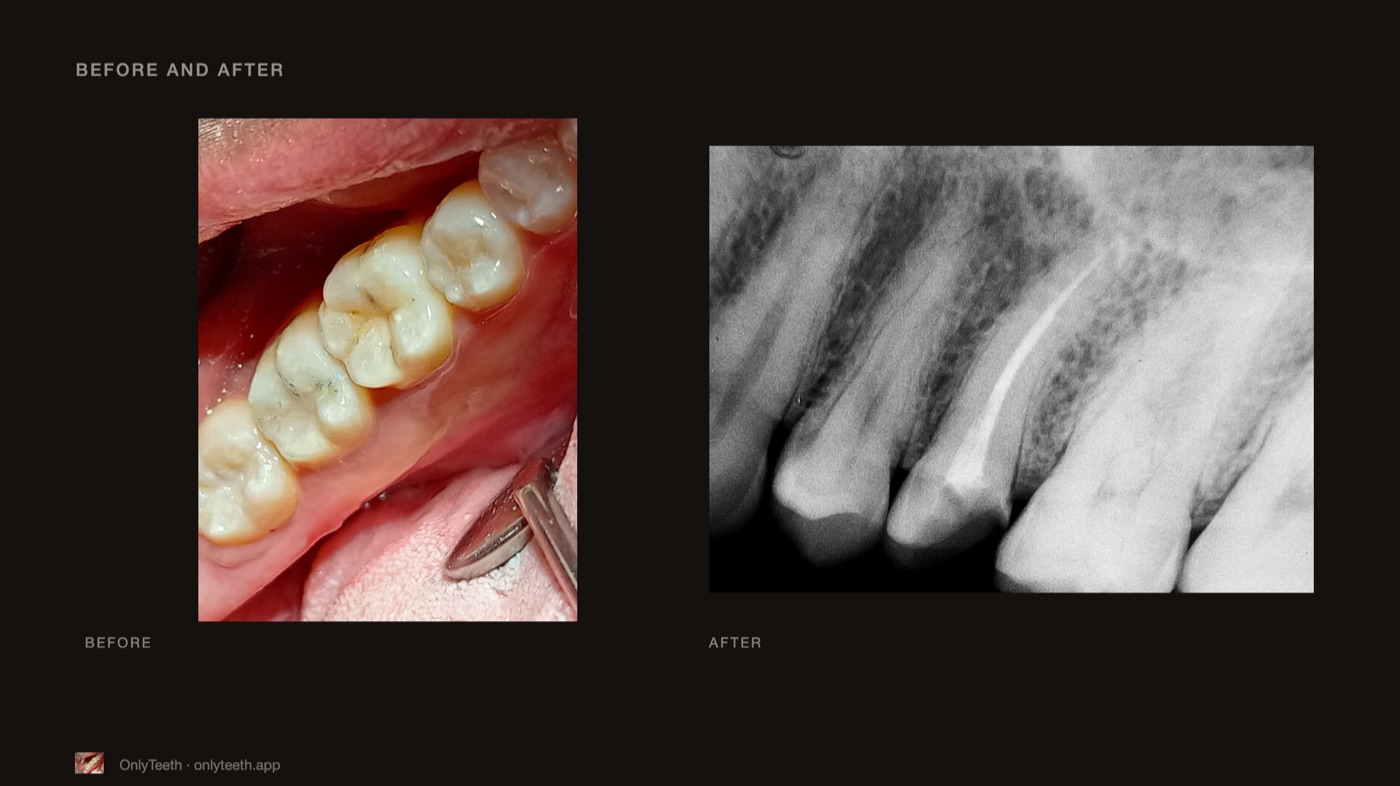
A clinical case report, a presentation for your seminar, a logbook your school opens in Excel, and a CV with the cases you choose.
Your data
Patient names on shared cards. Share cards and recaps never carry one.
On your phone first. Cases save with no signal and sync when you are back online.
Clinical photos are kept in private storage. Only you, and your clinic team if you share a clinic, can see them.
Leave any time. Export everything, or delete your account and all of it from Settings.
Pricing
Every new account gets 30 days of Premium, free. After that, keep logging for free, or stay on Premium.
For as long as you like
Everything in Free, plusPrice announced at launch
Your cases are always yours. On any plan you can read and export everything you have logged. We never lock your cases or cap how many you keep.
FAQ
Dental students and young dentists who want a proper record of their clinical work: for requirements, for their supervisor, and for the portfolio and CV that come after.
Yes. Everything you log is saved on your phone first and syncs to your account when you are back online.
The papers you give patients and labs (instructions, prescriptions, consent forms, lab orders and reminders) come in English or Arabic. The app itself is in English for now.
Clinical photos are stored privately, patient names never appear on anything you share, and voice logging stays on the phone wherever the phone supports it. See the privacy policy.
Android and iPhone. It is coming to Google Play and the App Store soon; email us to join early testing.
In the app, go to Settings and choose Delete account. You can also ask us by email.
Start keeping yours. OnlyTeeth is coming to Google Play and the App Store.
Want it first? Join early testing.